Reading K-pop Notices: Official English, Auto-translation and Image Text
Find the English section, identify the translation layer and match the exact event or product before turning Korean and Japanese notices into a plan.
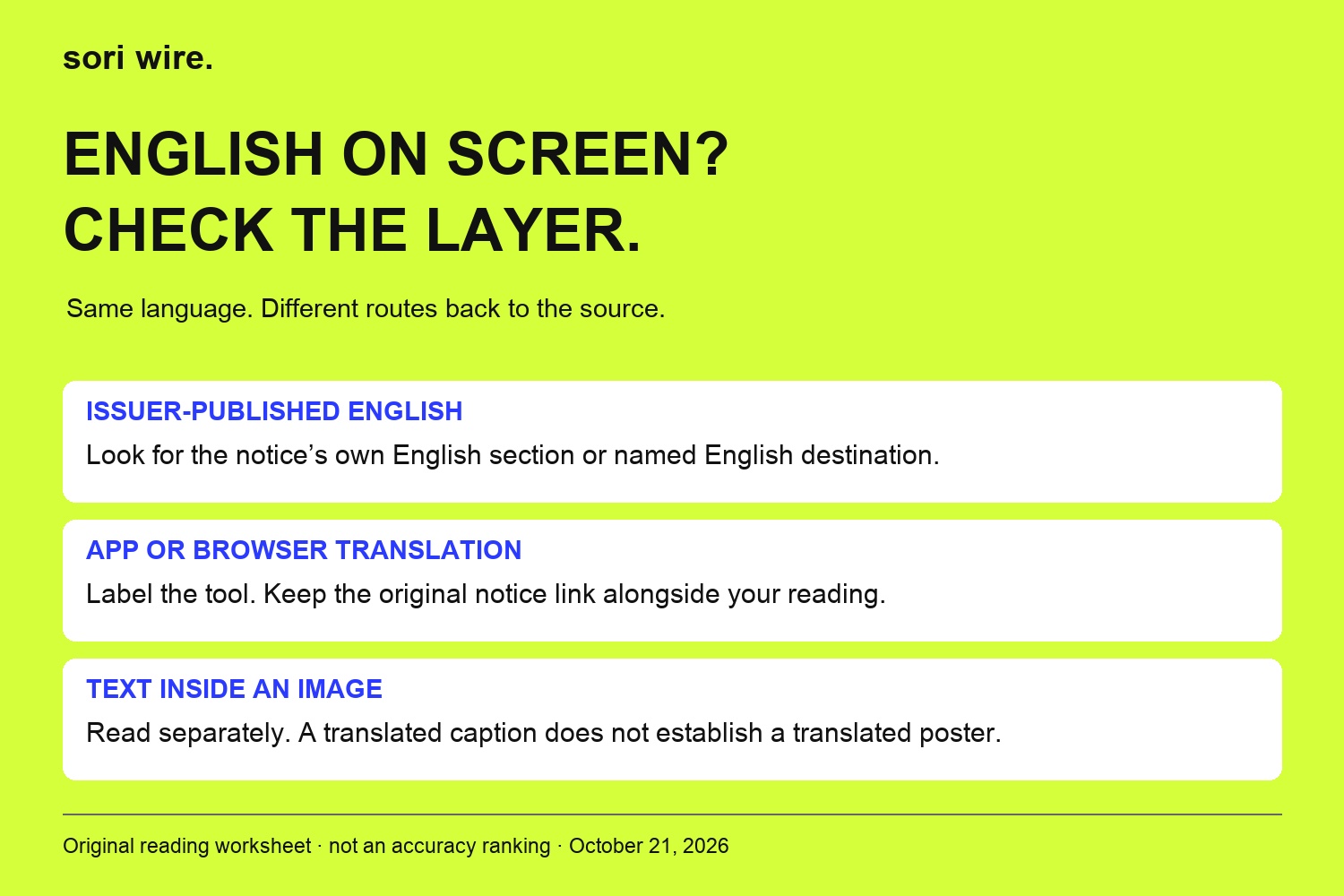
An announcement opens in English, but is that the artist team's English text, a platform translation or your browser translating the whole page? Those can look similar while doing different jobs. Before you save a deadline or pass an instruction to a friend, it helps to know which layer you are reading—and where to find the words it came from. This guide offers a practical reading workflow for Korean and Japanese K-pop notices. We use an archived TOMORROW X TOGETHER announcement containing several language sections and an archived &TEAM notice linking to language-specific seller pages. The TXT example concerns a 2024 event; the &TEAM example illustrates its published package-sales instructions. Neither establishes current ticket availability. Platform help was checked on October 21, 2026. Our original diagrams organise the reading process; they are not translation-accuracy scores or a test of anyone's language skills.
At a glance
- English text
- Identify issuer-published English, app translation or browser translation.
- Same notice
- Match the act, event/product, place or market, and relevant date or stage.
- Poster text
- Check separately; a translated caption does not establish a translated image.
- Examples
- Historical TXT and &TEAM notices; no current ticket availability or translation benchmark claimed.
In this guide
Identify the English you are looking at
Separate the issuer's published English wording from a translation displayed by software. A language section included in an artist notice is text the issuer has put on that page. An app translation changes the way supported content is displayed. A browser translation can change page text again. Finding English on screen does not tell you which of these happened, or whether a person translated the wording.
Our first recommendation is to make one small note: “issuer English,” “app translation” or “browser translation.” If you cannot identify the layer, write “unclear” rather than assuming it is an official English version. The purpose is to keep the route back to the source visible. This is a reading framework, not a platform badge or a judgement about a particular translator's reliability.
Before comparing two versions, return to the source page and identify its own text as far as the interface allows. Otherwise you may be comparing a translation of a translation with another software rendering. That can create apparent differences without establishing that the organiser published different instructions.
App language and translation language are separate controls
Weverse's help page distinguishes service or app language from translation language. Its documented settings routes provide separate choices for them on the app and website. An English interface therefore should not be treated as evidence that every artist post, attached image or linked document contains issuer-published English. The menu and the content need separate checks.
Use the help page as your starting point if you need to locate those controls. Our advice is to inspect both settings before deciding that an English notice is missing. Then reopen the particular announcement and look for its actual language sections or links. This guide does not report a hands-on test of the latest app version, and settings labels may change after the date of our check.
If a friend sees different wording, first compare the page address and translation state. You do not need to change an account's country, buy another membership or infer different event access simply because the two screens look different. Establish the language layer before investigating the event's own conditions.
A notice can publish English inside the same page

The archived 2024 TXT Japan fanlive announcement is a useful example. The page we read contains English, Korean and Japanese sections. Its English section identifies the Tokyo Garden Theater event on March 8, 2024, and says more event details will follow. This illustrates a place to look for issuer-published English before translating an entire notice yourself.
Scroll through the full body, rather than stopping when the first paragraph is in a language you do not read. Look for a section separator and the repeated event identity. Keep the link to that full page when sharing the English section. A cropped paragraph can lose the event name, the historical year or an instruction outside the crop.
We are not using this old announcement to advise anyone to attend, buy a ticket or expect an available replay now. Nor have we audited every sentence across its language sections for translation equivalence. It is a worked example of locating a published language section and preserving its scope. A later event needs its own notice, even when the artist and venue are familiar.
Match event identity before comparing wording
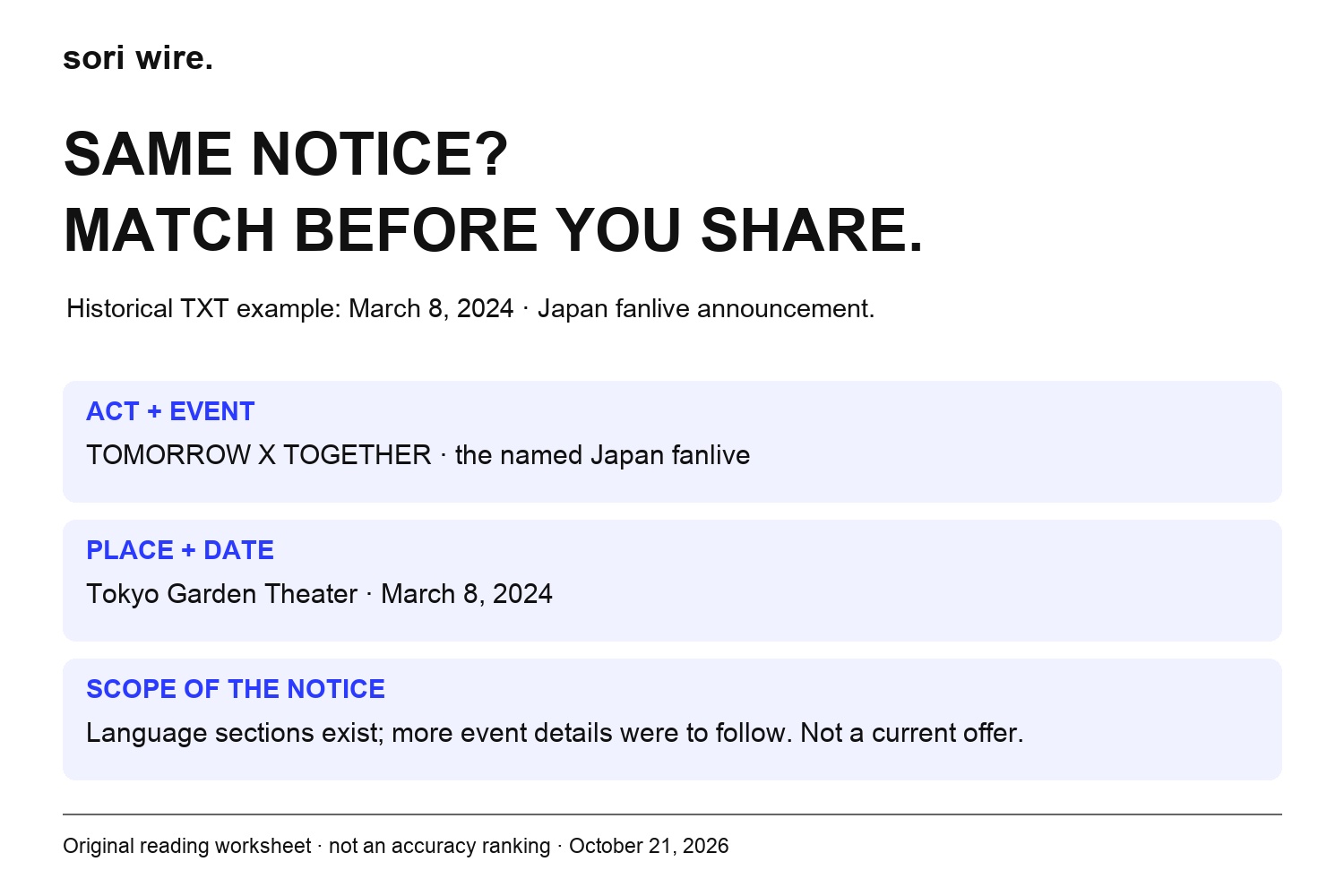
Once you have found an English section or link, check that it belongs to the same announcement. Our worksheet uses four anchors: the named artist or act, the complete event or product identity, the venue or market where relevant, and the stated date or sales stage. These are editorial comparison fields, not a claim that every notice must contain exactly four fields.
For the historical TXT example, the act, Tokyo venue and 2024 date help identify which event is under discussion. Do not substitute a current tour page just because it also mentions TXT and Japan. If an anchor is absent, leave that cell unresolved. An incomplete match is a reason to investigate, not permission to borrow a date from a nearby result.
The same discipline helps with a seller's page. A concert ticket, a package and a merchandise promotion can share an artist name without being the same offer. Compare like with like before interpreting a difference as a translation problem. This guide makes no claim that we completed checkout on any of those pages.
Follow the issuer’s English link to the correct product
The archived &TEAM Play&Stay notice for its KSPO DOME encore links to Korean, English, Japanese and Chinese seller destinations. Importantly, the notice says the package uses a dedicated sales page separate from the main concert ticket page. It therefore gives an English-reading fan two useful clues together: a language route and a product boundary.
Our recommendation is to follow the English destination supplied by that specific notice, then confirm the product identity there. Switching language on an unrelated search result is a weaker match. A familiar artist photograph does not establish that you have reached the same package, and a shared venue name does not establish identical purchase conditions.
This is an archived notice providing language-specific destinations. We did not verify present inventory, enter a queue, purchase anything or establish that the supplied links still allow a transaction. Treat the links as evidence of the notice's navigation structure. For an actual future purchase, use the organiser's current announcement and its named seller instructions.
Use browser translation as a reading aid
Chrome's help explains how to translate pages or a selected passage and how to choose a translation language. That is useful when an issuer offers no English section you can locate. Keep the original page address alongside the translated reading, and identify browser translation as the tool you used. Do not relabel its output as an English statement issued by the artist team.
For a difficult paragraph, our suggested approach is to compare a selected passage with its surrounding source context. Preserve the heading and any bullet that limits whom the instruction applies to. A fluent English sentence can still be attached to the wrong category if the surrounding list has been lost.
We have not benchmarked Chrome against another service or measured its accuracy on these announcements. This is a way to retain provenance while using a documented feature. If a material condition remains unclear, the fact that you can generate readable English is not a resolution of that uncertainty.
Treat text inside a poster as a separate reading task
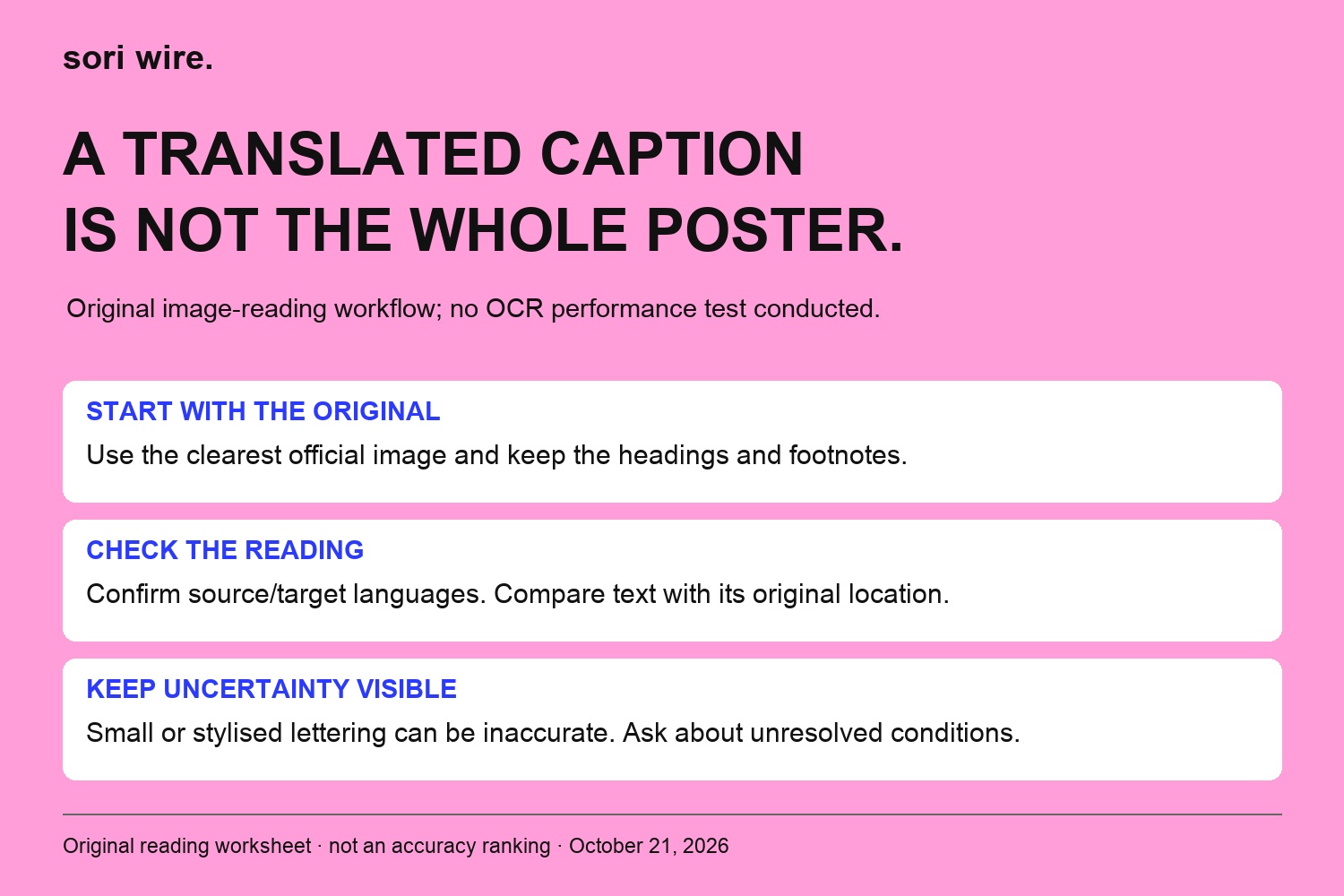
Weverse's May 2024 update describes text-content auto-translation and explicitly excludes text within images from that feature. That dated scope statement is useful when a caption changes language but a poster does not. It is not a fresh device test or a claim that every later Weverse feature behaves identically. Check the current help for the particular feature you use.
Google Translate's image help documents a separate way to read text from a photograph or screenshot. It also warns that small, unclear or stylised lettering can reduce accuracy. Our recommendation is to start with the clearest official image available, keep the original beside your reading and check the selected source and destination languages.
When a poster contains several columns, retain their headings and footnotes in your comparison. Do not turn an isolated recognised number into a deadline without knowing its label. We have not run OCR tests on the examples in this article; the diagram shows our suggested checking sequence. If the image remains unreadable, record the unresolved field and seek the issuer's text notice or support route.
Keep the condition attached to the action
A useful English note should preserve what the source asks a reader to do and the condition attached to it. In the published &TEAM package example, package-specific membership pre-verification is part of the named sales instructions. Removing the package label would make the instruction seem broader than the evidence. In the TXT example, further details being promised later is also useful information: the first announcement is not the whole instruction set.
Our advice is to mark the action, audience and qualification as separate phrases before summarising. Watch for wording that limits an instruction to a membership group, a particular seller or a particular stage. Do not replace an unresolved condition with what happened at another artist's event.
This is not a bilingual glossary or a guarantee that an English term has one fixed equivalent in Korean or Japanese. Meaning depends on the actual sentence and event. Your final note can remain short while still saying which offer it applies to and what you have not established.
When versions appear to disagree, preserve the question
First check the easy sources of a mismatch: different event pages, different products, different language-display settings or a cropped image. Then compare the full instruction and any dated update you can actually find. Do not assume that a newer-looking screenshot proves a revision, or that one language automatically overrides all others. This guide establishes no universal rule about which language controls an organiser's terms.
If an important field still differs, keep both exact links and describe the uncertainty narrowly. For example, ask which instruction applies to the named package rather than requesting a general explanation of the whole tour. Use the support destination linked by the issuer or seller for that event. We have not submitted an enquiry or received a private clarification for these examples.
Until you have adequate clarification, keep that field out of a confident public summary. A note that says “not yet confirmed from the relevant notice” is more useful than choosing whichever wording makes your plan easier. Keep the rest of the verified information, so uncertainty in one field does not erase the whole record.
Build a small notice-language record
Our reusable record has a source link, an issuer or seller label, an event or product identity, the language layer, the date you checked it and a short action note. Add unresolved points beneath that note. You can keep it in an ordinary document; there is no special app, paid plan or account permission required by this editorial worksheet.
For a poster, save enough context to recognise the original layout while leaving personal account details out of anything you share. For an English section, link back to the complete notice. For a software-assisted reading, name the tool and retain the original-language passage for your own comparison. Do not present the worksheet's empty fields as facts the artist has announced.
When sharing with friends, distinguish a paraphrase from a direct quotation. Our suggested label is simply that you summarised the named notice and checked it on a stated day. If translation or a condition is unresolved, keep that qualification visible. The goal is a useful route from an English summary back to the actual instruction—not a screen full of English with its origin forgotten.
Read the chart as a table
| Field to save | Your source-linked entry |
|---|---|
| Source + issuer | Full notice URL; named issuer or seller |
| Event/product | Exact name; place or market where relevant |
| Language layer | Issuer English, app/browser translation, or unclear |
| Checked on | The date you actually read the source |
| Action + condition | What the relevant notice asks you to do and whom it applies to |
| Unresolved | The exact field that still needs clarification |
How this guide was made
Checked October 21, 2026. Original English reading workflow, not translation certification or a language-precedence/legal determination. The TXT2024 archive and the published &TEAM2026 package-sales notice establish page structure and scope only; no ticket availability, checkout, actual attendance or private clarification. The 2024 Weverse auto-translation scope is dated; current language-settings and Google help are separate sources. No live app/device/OCR benchmark performed. TXT profile is a representative official photograph, not event photography; no reuse license inferred. Three original code-rendered reading diagrams, no invented statistics. Japanese source material is discussed in English only; no Japanese edition generated.